
PotPlayer Features
A next-generation media platform with cinematic playback, pro controls, and immersive tools built in.

Codecs
Media file and codec inspection
See container, codec, resolution, frame rate, and bitrate without third-party tools. Built-in H.265/HEVC and H.264/AVC support means most users never install a codec pack.
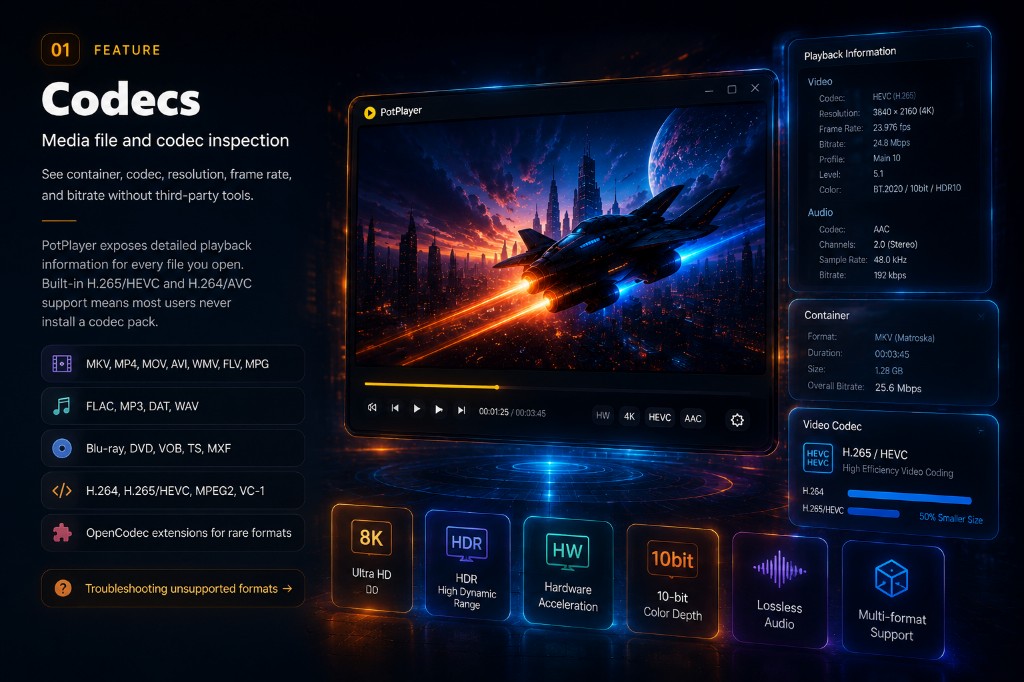
- MKV, MP4, MOV, AVI, WMV
- FLAC, MP3, DAT, WAV
- Blu-ray, DVD, VOB, TS, MXF
- H.264, H.265/HEVC, MPEG2
- OpenCodec for rare formats
Monitoring
Playback and resource stats
During playback, PotPlayer reports CPU usage and hardware decoder status so you can confirm whether DXVA, CUDA, or QuickSync is active.
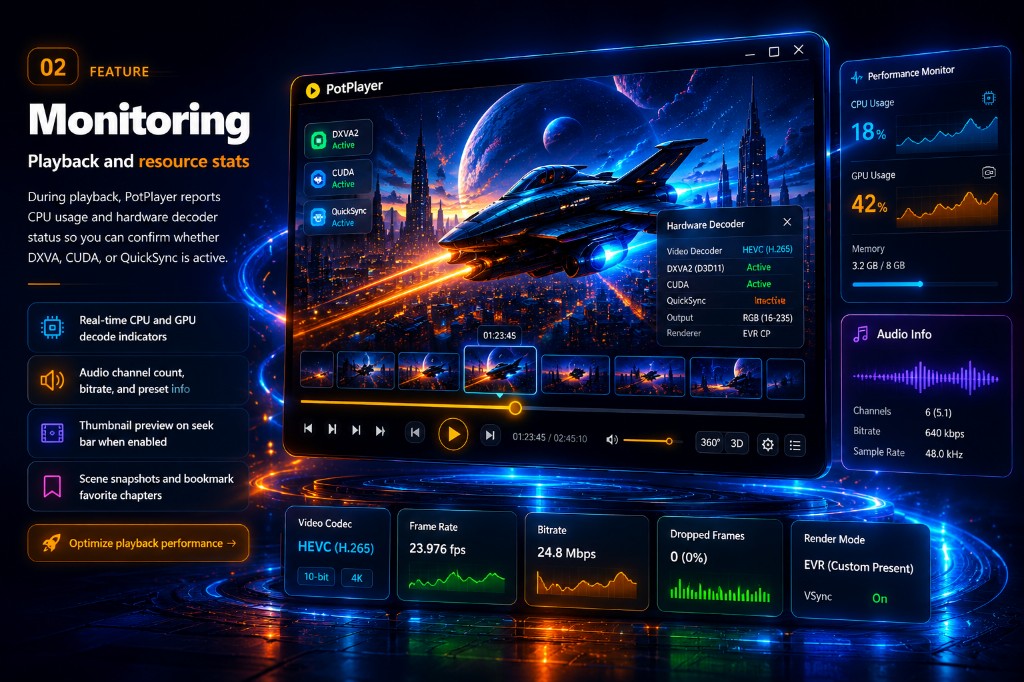
- Real-time CPU and GPU decode
- Audio channels, bitrate, presets
- Thumbnail preview on seek bar
- Scene snapshots and bookmarks
Advanced playback control
Pro filters, equalizer, and settings export
Export your entire configuration as a .reg file and apply it on another PC instantly. Fine-tune video, audio, speed, and color in one cinematic workspace.
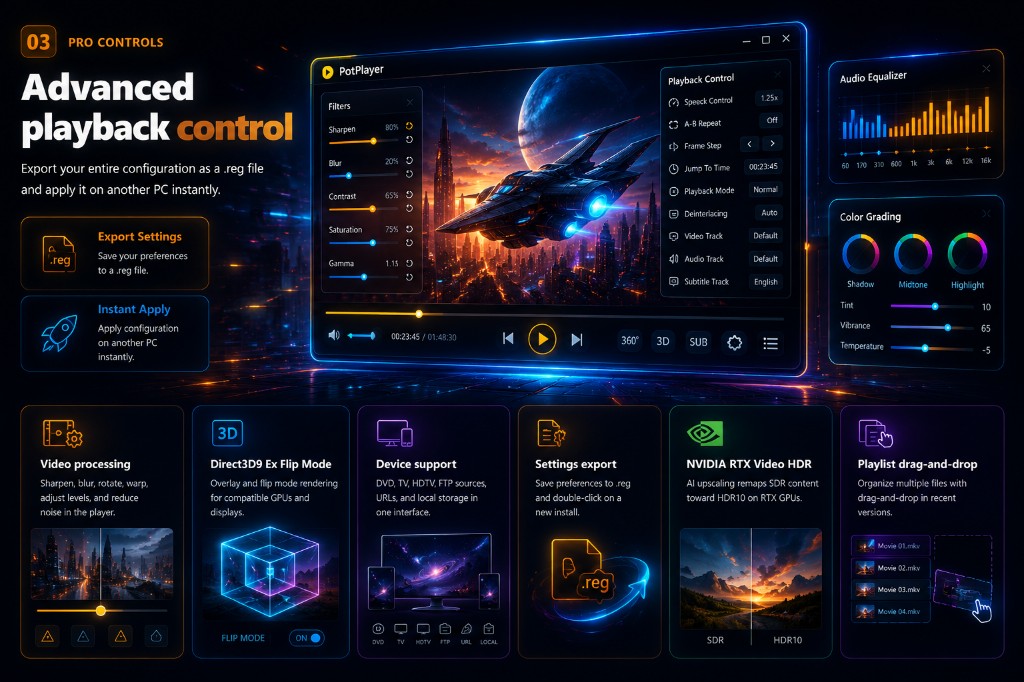
- Video processingSharpen, blur, rotate, warp
- Direct3D9 ExFlip mode rendering
- Device supportDVD, TV, FTP, URLs
- Settings exportSave preferences to .reg
- RTX Video HDRAI SDR to HDR10 on RTX
- PlaylistDrag-and-drop organization
Hardware acceleration
Maximum performance on 4K HEVC
Unlock smooth 4K playback with minimum CPU use. Compare software vs hardware decode and see DXVA, CUDA, and QuickSync working in real time.
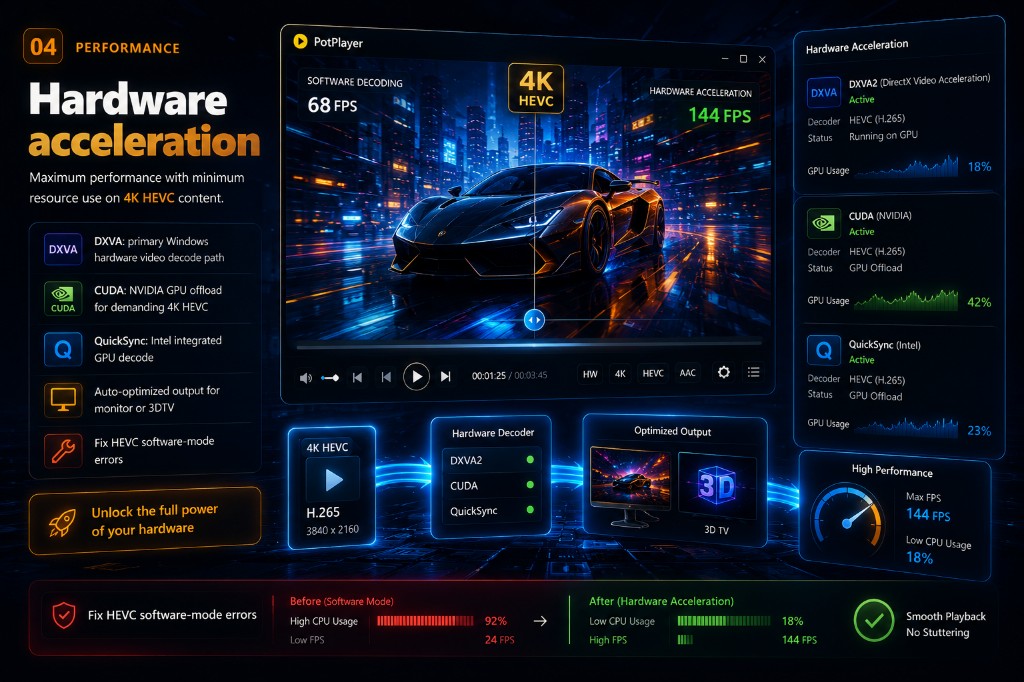
- DXVAPrimary Windows hardware decode
- CUDANVIDIA GPU offload for 4K HEVC
- QuickSyncIntel integrated GPU decode
- OutputAuto-optimized for monitor or 3DTV
Subtitles
Subtitle and language support
SMI, SRT, DVD Vobsub, Blu-ray subtitles, ASS/SSA animation, and SMI Ruby tags. Matching filenames in the same folder load automatically.
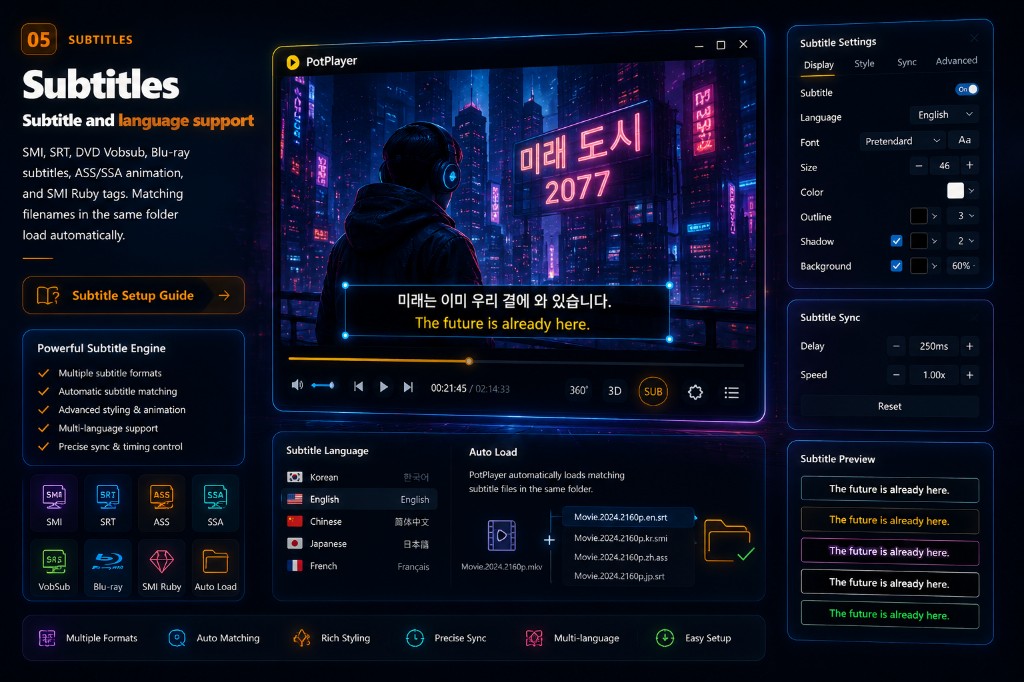
- SRT / ASSRich styling and animation
- SyncDelay and speed controls
- Blu-rayBuilt-in subtitle tracks
- Auto loadSame-folder filename match
- Multi-langDual-language display
- PreviewLive style and color preview
3D and 360° video
Immersive playback without plugins
Side by Side, Top and Bottom, and Page Flipping output. Explore 360° panoramas with mouse and keyboard navigation built in.
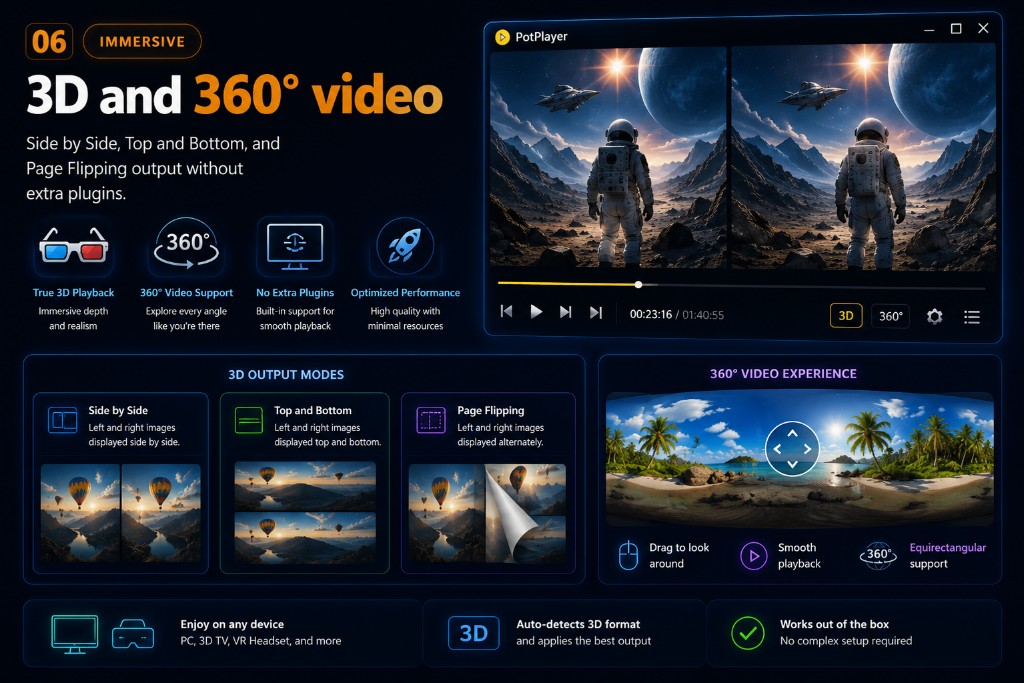
- Side by SideClassic 3D output mode
- Top and BottomVertical 3D layout
- Page flippingAlternate frame output
- 360°Panoramic immersive view
Built-in tools
Capture, edit, stream, and visualize
Powerful built-in tools to enhance, capture, stream, and enjoy your media without leaving PotPlayer.
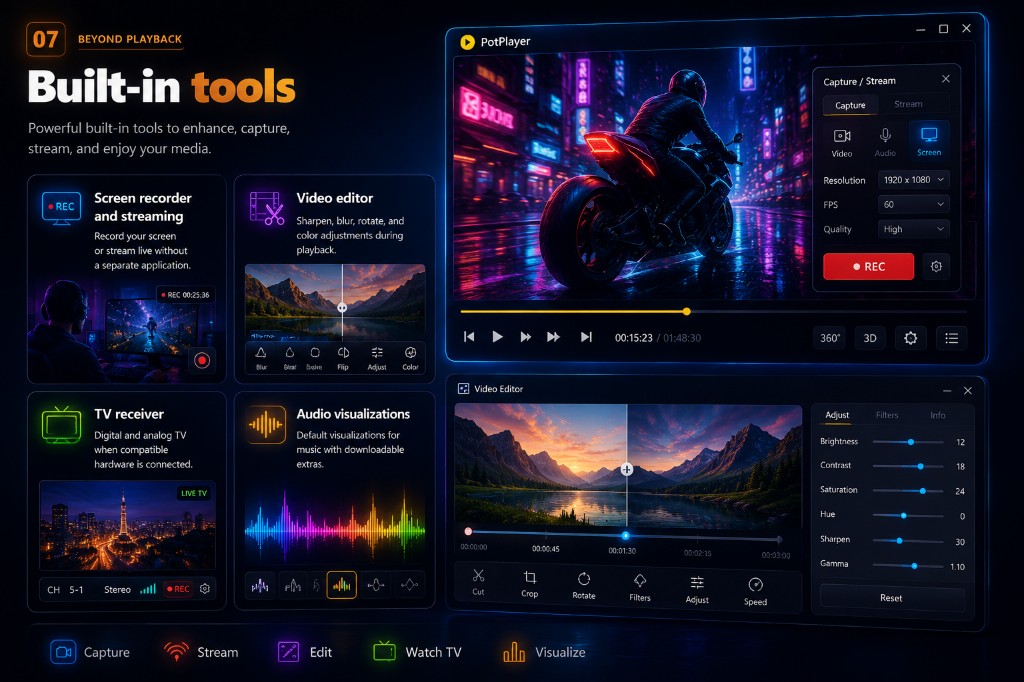
- Screen recorderRecord and stream live
- Video editorAdjust color during playback
- TV receiverDigital and analog TV
- VisualizerMusic spectrum displays
OpenCodec and plugins
Skins, codecs, and extensions
Add codecs and skins without breaking your stable default configuration. Browse the skins marketplace and extend playback with OpenCodec.
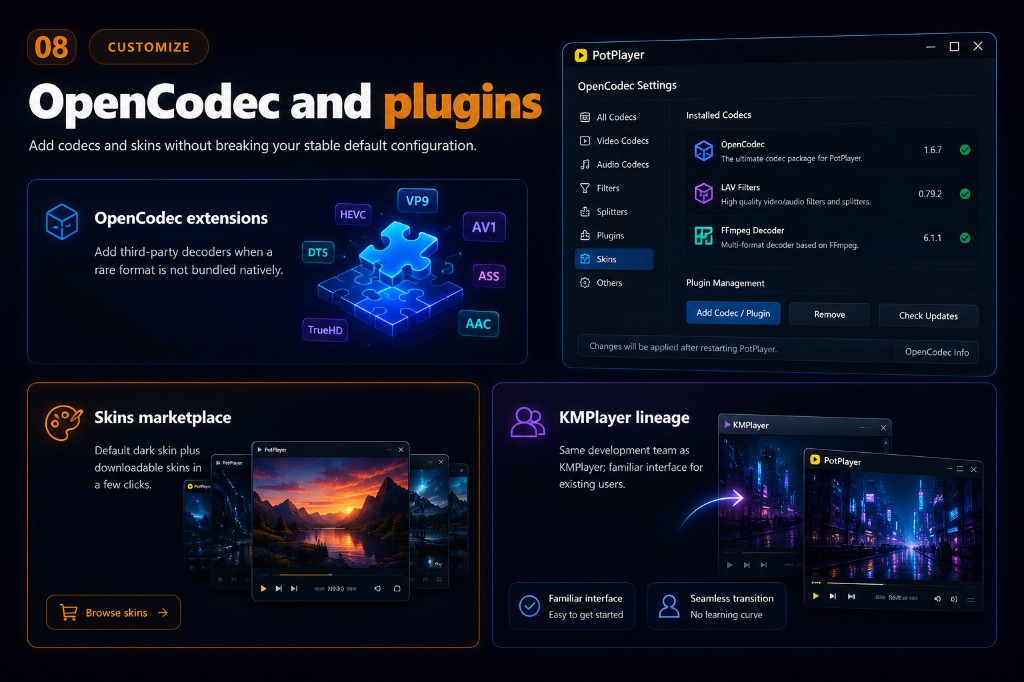
- OpenCodecThird-party decoders
- SkinsDownloadable themes
- KMPlayerFamiliar interface lineage
Get PotPlayer on your PC today
Free download for Windows. All features included.
Download Now